;fill-rule:nonzero;stroke:%23000;stroke-width:48.7px;'/%3e%3cdefs%3e%3clinearGradient%20id='_Linear1'%20x1='0'%20y1='0'%20x2='1'%20y2='0'%20gradientUnits='userSpaceOnUse'%20gradientTransform='matrix(2406.25,-2101.13,2101.13,2406.25,1086.43,2157.14)'%3e%3cstop%20offset='0'%20style='stop-color:%232d1f30;stop-opacity:1'/%3e%3cstop%20offset='1'%20style='stop-color:%239f5060;stop-opacity:1'/%3e%3c/linearGradient%3e%3c/defs%3e%3c/svg%3e)

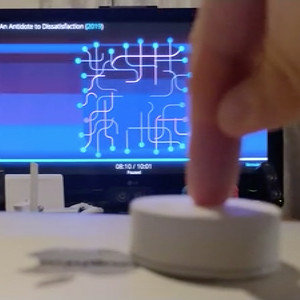
SYMFONISK Kodi remote
IKEA's SYMFONISK and TRÅDFRI smart home products use Zigbee, so it's easy to integrate them into a home automation solution with a supported Zigbee hub.
You can pair all of the devices to a TRÅDFRI gateway and connect that to Home Assistant, or use a custom hub such as the CC2531 Zigbee sniffer acting as a Zigbee coordinator. I already have the CC2531 Zigbee coordinator set up and connected to my Home Assistant, so after purchasing a SYMFONISK sound remote I was ready to go.
Interaction flow

Devices
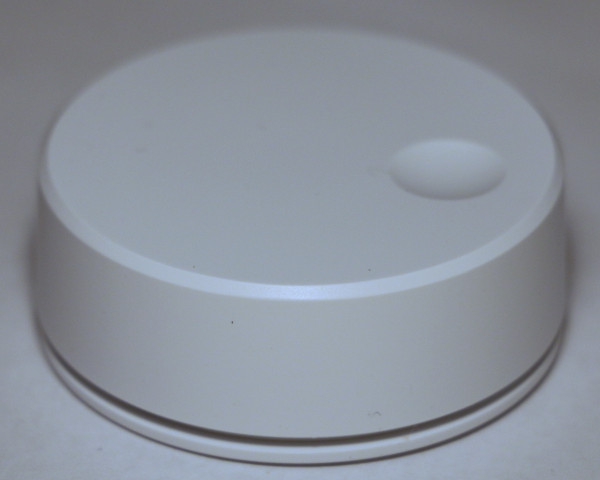
from IKEA
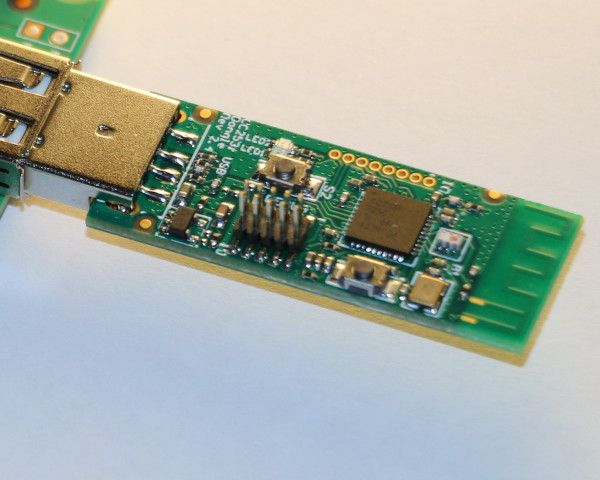
from Ali Express
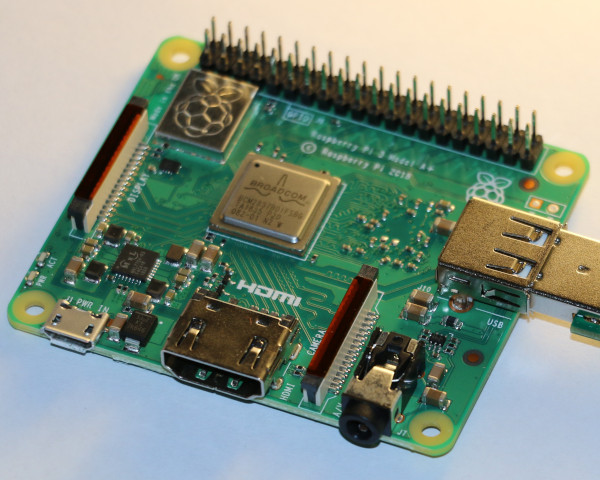
from Element 14
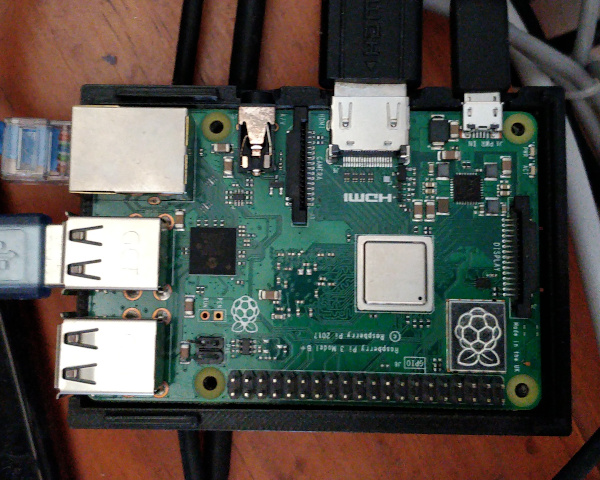
from Element 14
Which are set up as follows:
- CC2531 sniffer running Zigbee2mqtt CC2531 firmware
- Raspberry Pi 3 Model A+ running Home Assistant and Zigbee2mqtt
- Raspberry Pi 3 Model B+ running LibreELEC, which is a distribution of Kodi designed for Raspberry Pis
Payloads
-
SYMFONISK sound remote to CC2531 coordinator uses Zigbee messaging over Zigbee radio
The structure of this payload is outside the scope of this blog post
-
CC2531 coordinator to Home Assistant uses JSON messages over local MQTT, for example:
- topic
zigbee2mqtt/ikea_symfonisk_dial_74d44a
- payload
{"linkquality": 76, "rate": 195, "brightness": 209, "battery": 74, "action":
              "rotate_stop"}
-
Home Assistant to Kodi uses JSON RPCs over HTTP
(over WiFi), for example:
- header
POST http://kodi.local/jsonrpc?Application.SetVolume
- body
[{"id": 1, "jsonrpc": "2.0", "method": "Application.SetVolume", "params":
              [50]}]
Connectivity
SYMFONISK sound remote to CC2531 controller
Syncing the remote to the controller is a similar process to syncing it with the TRÅDFRI gateway (holding down the 'sync' button on the remote for 10 seconds, nearby the controller).
Zigbee2mqtt processing
The remote is fairly chatty, so I took advantage of Zigbee2mqtt's debounce functionality to reduce the chatter, making it easy to focus on important messages. In this case, I want to focus on unique "action" messages so I can set the volume to a specific value when the remote has stopped rotating.
$ cat ${ZIGBEE_2_MQTT}/configuration.yaml

homeassistant: true
permit_join: true
...
devices:
  ...
  '0xccccccfffe74d44a':
    friendly_name: ikea_symfonisk_remote_74d44a
    debounce: 0.1
    debounce_ignore:
      - action
  ...
Home Assistant integration with Kodi
Kodi is registered in Home Assistant as a Media Player integration.
$ cat ${HOME_ASSISTANT}/configuration.yaml

...
media_player:
  - platform: kodi
    host: kodi.local
    port: 80
...
Home Assistant automation
I initially had problems with automating this process, as capturing each message as a device update triggered the automation too frequently and flooded Kodi's RPC API. A better way around this was to limit the updates passed through from Zigbee2mqtt (see above) and then trigger the automation from the MQTT message itself instead of the device as registered by Home Assistant.
The automations process the following scenarios:
-
When a message comes through with the "
play_pause" action, it means that the remote has been pressed once. Send a "media_play_pause" command to Kodi. This will pause playback for media that is playing, or continue playback for media that is paused. -
When a message comes through with the "
rotate_stop" action, it means that the remote was previously being rotated and has now stopped. Check the "brightness" attribute and send a "volume_set" command to Kodi. This will set the volume to an absolute value between 0.00 (muted) and 1.00 (loudest).
$ cat /home/homeassistant/.homeassistant/automations.yaml

...
- id: kodi_play_pause
  alias: Kodi play/pause
  trigger:
    - platform: mqtt
      topic: zigbee2mqtt/ikea_symfonisk_remote_74d44a
  condition:
    - condition: template
      value_template: '{{ trigger.payload_json.action == ''play_pause'' }}'
  action:
    - service: media_player.media_play_pause
      data:
        entity_id: media_player.kodi


- id: kodi_set_volume
  alias: Kodi set volume
  trigger:
    - platform: mqtt
      topic: zigbee2mqtt/ikea_symfonisk_remote_74d44a
  condition:
    - condition: template
      value_template: '{{ trigger.payload_json.action == ''rotate_stop'' }}'
  action:
    - service: media_player.volume_set
      data_template:
        entity_id: media_player.kodi
        volume_level: '{{ (trigger.payload_json.brightness / 255) | round(2) }}'
...
Wrap-up
There are other ways of using the SYMFONISK sound remote to control media players through Home
Assistant. This example sets volume when the remote is no longer rotating, but it is also
possible to send incremental
volume_up and volume_down commands while
the remote is rotating (just be careful not to send too many updates). It is also possible to
capture double-press and triple-press events and associate them with other automations.
This article belongs to  Home automation.
If you have feedback or questions about this article, let's catch up via
email.
Home automation.
If you have feedback or questions about this article, let's catch up via
email.

 All articles
 About Sinclair Studios