;fill-rule:nonzero;stroke:%23000;stroke-width:48.7px;'/%3e%3cdefs%3e%3clinearGradient%20id='_Linear1'%20x1='0'%20y1='0'%20x2='1'%20y2='0'%20gradientUnits='userSpaceOnUse'%20gradientTransform='matrix(2406.25,-2101.13,2101.13,2406.25,1086.43,2157.14)'%3e%3cstop%20offset='0'%20style='stop-color:%232d1f30;stop-opacity:1'/%3e%3cstop%20offset='1'%20style='stop-color:%239f5060;stop-opacity:1'/%3e%3c/linearGradient%3e%3c/defs%3e%3c/svg%3e)


Automation Bites: Session digests

Aside from my own laptop, I run code agents on several other machines. It's much faster to log in to various servers and interact with the agents to fix issues, upgrade infra, and prepare for the next deliverable. However I'm internalising less of what happened, so it's difficult to keep track of what I've done, and where.
Code agents (like Claude Code) write session logs, but they're scattered across several machines. They're not searchable, not portable, and not something you'd willingly read. An information-dense session digest, stored and indexed in a central location, makes it much easier to check what happened across all machines on a given day.
Taking Claude Code as an example, we can use SessionEnd hooks to
forward the session logs to a local LLM to write a digest, and send the resulting digest as an
email to an inbox. We can then read the digests directly, or rely on inbox search tools and
email MCPs to surface the digest details.
Architecture
Each machine runs the same hook on session end. The hook reads the transcript, strips it to
the meaningful turns, and POSTs the payload to a single Node-RED
webhook. Node-RED hands the transcript to an LLM to build the digest, formats it into an
email, and sends it.
Why email? It's a simple, personal database that everyone has and anyone can use. It's
searchable on every device you already own, and Gmail (and many other clients) will thread
messages by subject, giving you a free daily digest. We use the subject line
Session Digests YYYY-MM-DD
to group sessions on the same date to the same thread.
The hook
This section focuses on Claude Code, but other code agents should have similar processes.
Claude Code fires a SessionEnd event when a session closes. The
hook receives a JSON blob with session_id,
transcript_path, cwd, and
reason, which we forward to a script for processing and upload.
Register it in your Claude Code settings:
{
  "hooks": {
    "SessionEnd": [
      {
        "type": "command",
        "command": "bash ~/.claude/hooks/upload-session.sh"
      }
    ]
  }
}
The script itself reads the logs, extracts the user prompts and assistant text responses (deduplicating the streamed assistant chunks by message ID), and POSTs the filtered logs to a webhook.
#!/usr/bin/env bash
set -euo pipefail

input=$(cat)

session_id=$(jq -r '.session_id'           <<< "$input")
transcript_path=$(jq -r '.transcript_path' <<< "$input")
cwd=$(jq -r '.cwd'                         <<< "$input")

WEBHOOK_URL="https://your-nodered-instance/code-session-log"

# The log body is JSONL. These rules are not exact, but do a reasonable
# job of filtering the log back down to "user" and "assistant" blocks.
transcript='[]'
if [[ -f "$transcript_path" ]]; then
  transcript=$(jq -s '
    [
      ( .[] | select(.type == "user" and (.isMeta | not))
        | { type: "user", content: .message.content, timestamp } ),
      ( [ .[] | select(
            .type == "assistant"
            and (.message.content | map(select(.type == "text")) | length > 0)
          ) ]
        | group_by(.message.id)
        | map(last)
        | .[]
        | {
            type: "assistant",
            content: [ .message.content[] | select(.type == "text") | .text ],
            timestamp
          }
      )
    ] | sort_by(.timestamp)
  ' "$transcript_path")
fi

payload=$(jq -n \
  --arg sid       "$session_id" \
  --arg cwd       "$cwd" \
  --arg timestamp "$(date -u +%Y-%m-%dT%H:%M:%SZ)" \
  --argjson transcript "$transcript" \
  '{
    session_id: $sid,
    cwd: $cwd,
    ended_at: $timestamp,
    transcript: $transcript
  }'
)

curl --silent --fail --max-time 30 \
  --header "Content-Type: application/json" \
  --data "$payload" \
  "$WEBHOOK_URL" >> /tmp/session-upload.log 2>&1 \
  || echo "$(date -u +%Y-%m-%dT%H:%M:%SZ) upload failed: exit $?" >> /tmp/session-upload.log

exit 0
Save this as
~/.claude/hooks/upload-session.sh
and make it executable. The only thing you need to change is
WEBHOOK_URL.
Dealing with duplicates
SessionEnd fires on multiple triggers:
/clear, logout, prompt exit, or
Ctrl-C. If you resume a previous session, you may end up with
almost identical duplicate digests.
The simple fix is a time-window guard: don't send another email for the same
cwd within a five-minute window. You can implement this in the
Node-RED flow with a context variable that stores the last send time per directory.
Be aware that Claude Code forks a new session UUID when a conversation continues past the context limit. The old transcript stays on disk, but the new session gets a fresh ID. So UUID alone isn't a reliable deduplication key for one logical session. There may be other ways to solve this problem.
The Node-RED flow
The flow has three parts: receive the webhook payload, pass the transcript through an LLM with a prompt that extracts the highest value details, then send the digest as an email with the daily subject line.
This workflow uses zai-org/glm-4.7-flash locally hosted through LM
Studio, but any local or remote LLM would be suitable. The prompt is straightforward:
Summarise this coding session transcript into a short structured report.
Use the controls below to copy this flow into your own Node-RED instance.
What this looks like in practice
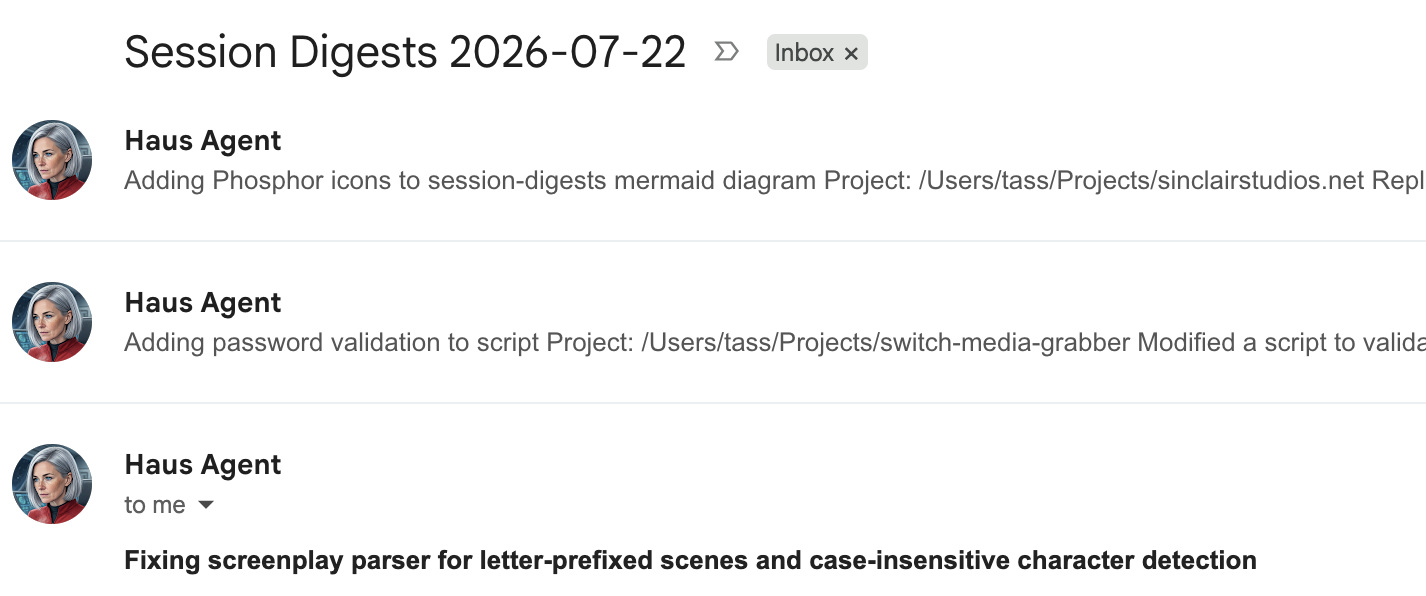
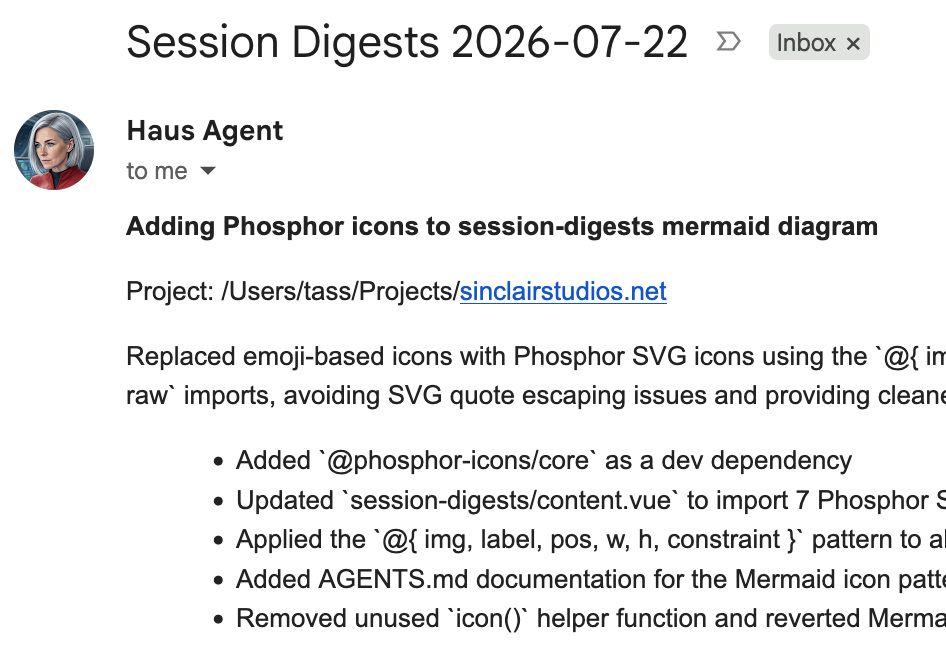
At the end of the day we have email threads with one digest message per session, from all of
the machines that we worked from. Each message focuses on the core value in each session, with
a small list of searchable details for when we need to remember where we made that change to
that damned nginx config.
If you're keen to try this out on a single machine, it's probably possible to run the whole
process from a single bash script, using claude -p to create the
digest and send an email. Just be careful to avoid recursion!
What's next? You could loop this back to your "to do" list, feed it into a hype doc, or just keep it until you need to reference it. Either way, you'll be glad you have it.
This article belongs to 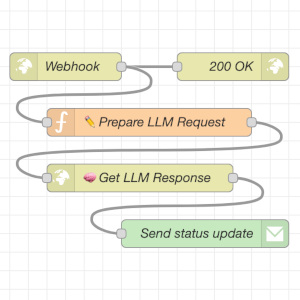 Automation Bites.
If you have feedback or questions about this article, let's catch up via
Mastodon, LinkedIn, or email.
Automation Bites.
If you have feedback or questions about this article, let's catch up via
Mastodon, LinkedIn, or email.

 All articles
 About Sinclair Studios