;fill-rule:nonzero;stroke:%23000;stroke-width:48.7px;'/%3e%3cdefs%3e%3clinearGradient%20id='_Linear1'%20x1='0'%20y1='0'%20x2='1'%20y2='0'%20gradientUnits='userSpaceOnUse'%20gradientTransform='matrix(2406.25,-2101.13,2101.13,2406.25,1086.43,2157.14)'%3e%3cstop%20offset='0'%20style='stop-color:%232d1f30;stop-opacity:1'/%3e%3cstop%20offset='1'%20style='stop-color:%239f5060;stop-opacity:1'/%3e%3c/linearGradient%3e%3c/defs%3e%3c/svg%3e)

Smartifying your devices
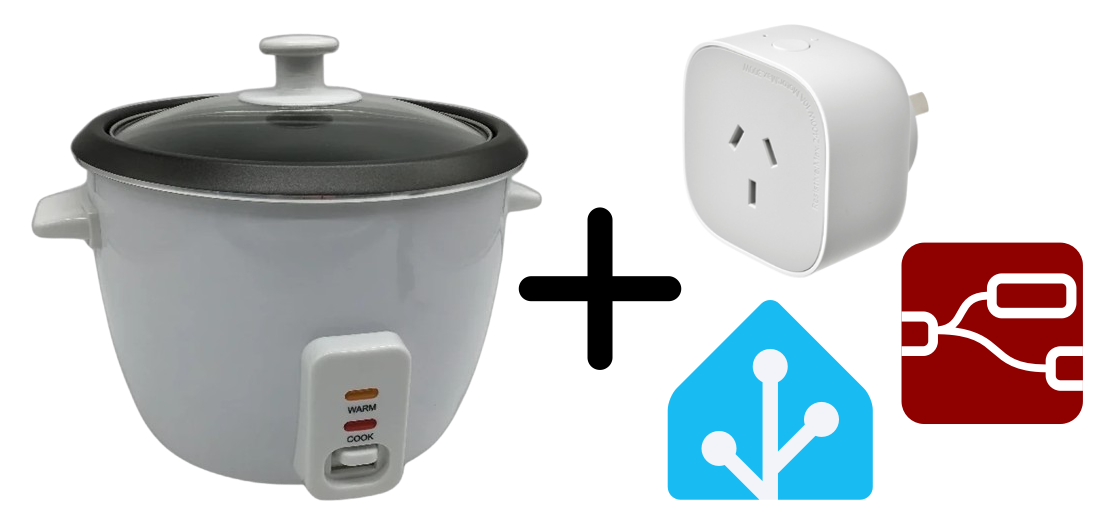
"Smartifying" a device is the process of taking a basic appliance, and adding functionality to integrate it into a Smart Home environment. In this article we'll look through the process of smartifying a rice cooker just by adding a smart power plug, and modelling its state in Home Assistant.
- 🤖 Smart Home agent
- What has the the rice cooker been doing, now and previously?
- The rice cooker is currently warm. It was cooking 13 minutes ago.
- Can you turn it off?
- I have turned the rice cooker off.
Keep reading if...
- You have a Smart Home setup, and you've used smart power plugs before.
- You have access to advanced Smart Home tooling, like Home Assistant.
- You're interested in making your devices more accessible to agents and automations working on your behalf.
What do we need?
- A device to smartify. A rice cooker is a simple one to start with. For a more advanced
example, see
 Smartifying a washing machine
 - Smart Home sensors and actuators. For this, we just need a smart power plug with power usage monitoring. A wifi-enabled plug is fine if you want to avoid Thread or Zigbee devices.
- Smart Home platform. I'm using Home Assistant, with Assist set up to use a locally-hosted Devstral Small 2507 LLM.
- Automation platform. I'm using Node-RED but it's possible to do this with n8n, or just Home Assistant alone (not recommended).
Starting with imperative control
Imperative control refers to directly integrating the physical component (smart plug) and digital component (UI toggle).
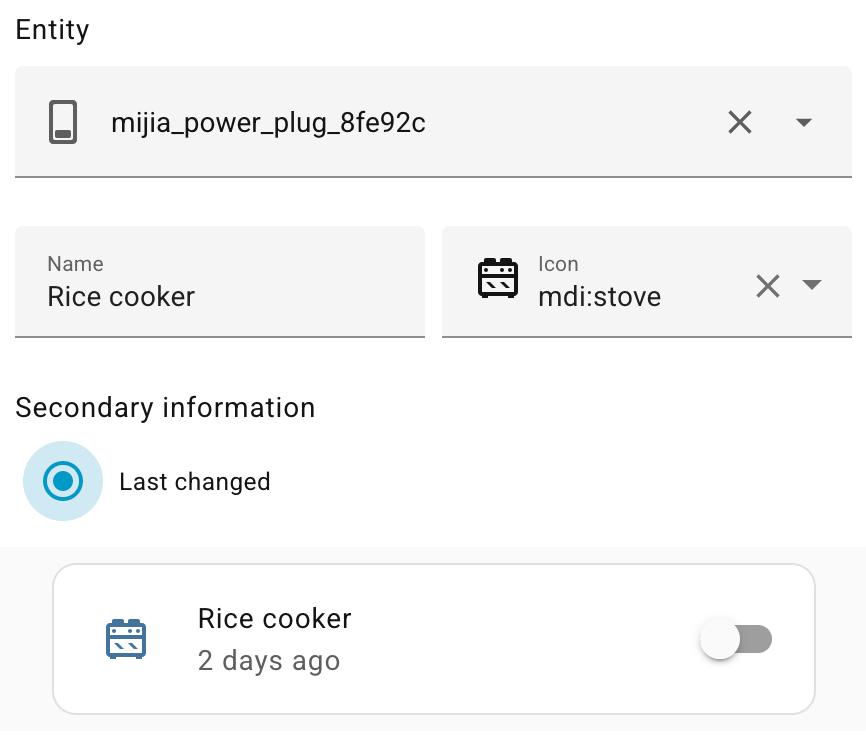
Adding a smart plug to Home Assistant immediately adds the digital component for us (in this
example,
mijia_power_plug_8fe92c) which
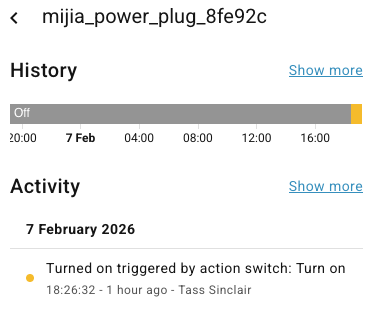
we can configure in the UI to represent the rice cooker's power status. We can even take
advantage of the state history to show the last time the switch was toggled.
This means we get up-to-date information about whether the smart power plug is on or off, and can toggle it through the Home Assistant UI.
Sounds good, but what's wrong with this approach?
See also: 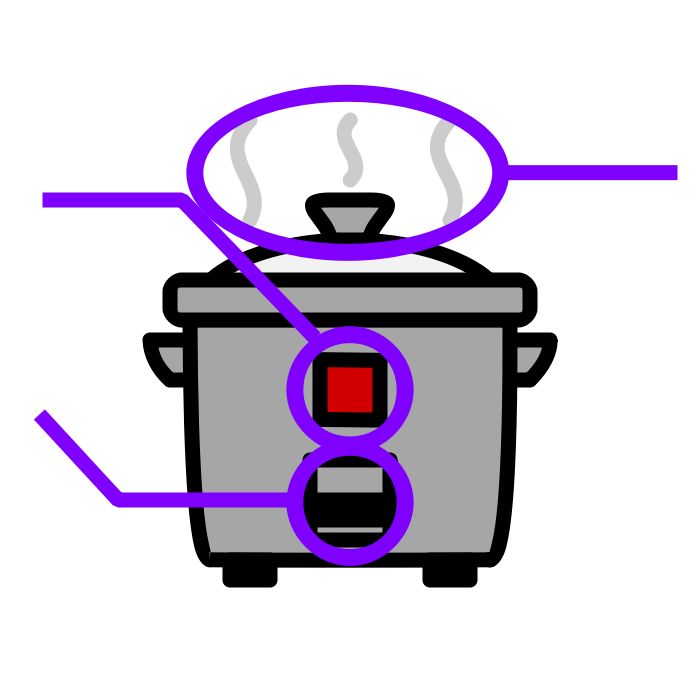 What makes a device "smart"?.
Reflecting on this, all we've done is dressed up the smart plug to look like the rice cooker in the UI. Considering:
- There's no feedback between the plug and the rice cooker. If the rice cooker is unplugged, it will still be reported as being "on".
- Outside of the UI, the device is still just a smart power plug. The "rice cooker" isn't visible to other interfaces, like voice assistants
- This models the state as "on" or "off", but there's no distinction between "cooking" vs "keeping warm".
- 🤖 Smart Home agent
- What is the rice cooker doing?
- I can't see a device called "rice cooker"
- Oh, try the Mijia power plug 8fe92c.
- The Mijia power plug 8fe92c is currently turned on.
Instead, we need a different approach to properly model the rice cooker state. Read on.
Modelling the device state
Let's invert the representation inside Home Assistant, so the device is modelled, and the sensors and actuators are relegated to entities of the device.
Modelling the device state gets us closer to building a digital twin of the physical device. Using a state machine consolidates the fragmented conditions, and makes a single, stateful representation.
Using a State Machine
To get closer to the model above, we need to map the sensor triggers to actual state transitions.
- With the smart power plug's on and off, transitions, we know when the rice cooker is on or off.
- We can tap into the smart power plug's energy usage data to work out if the rice cooker is actively cooking, or just keeping warm.
- We can use combinations of the above to better map the transition from "idle" to "cooking" to "warm", even though the triggers look very similar.
The state machine just keeps track of the current state and a list of allowed states, and uses a transition table to map triggers to transitions:
| Trigger | From | To |
|---|---|---|
| powerLow | off | idle |
| powerHigh | (any) | cooking |
| powerLow | cooking | warm |
| powerOff | (any) | off |
Note some interesting features of this flow:
powerOntriggers are not tracked. This protects us from false positives when the smart power plug is turned on, but is not connected to anything.powerLowtriggers can lead to different transitions, depending on the current state. It would also be possible to combine the trigger with a timer, to further distinguish between "finished" and "cancelled" transitions.
Categorising power usage
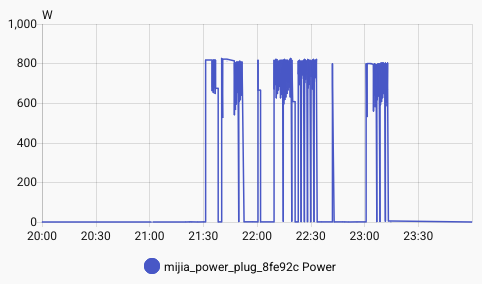
Smart power plugs with power usage monitoring can report on instantaneous wattage consumption, but with devices that have fluctuating power (like rice cookers, dryers and washing machines) this can lead to noisy reporting.
For example, we don't want to fluctuate between "powerHigh" and "powerLow" when the rice cooker occasionally fluctuates between 800W and 1W.
Instead, we need to apply some smoothing functions on the data that we receive, and take an average. These functions can take time to tune properly and will look different for each device, so I'm keeping them out of scope of this article. Let me know if you're keen for an example.
Modelling this in Node-RED
This flow uses
node-red-contrib-home-assistant-websocket
and
node-red-contrib-persistent-fsm
nodes.
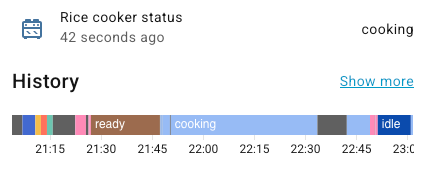
- The device state now models the actual behaviour of the device, abstracting away from the sensors and actuators.
- Sensors and actuators now act as triggers for state transitions, which may lead to different state transitions in the device state.
- The model synchronises its state with the device, keeping current state (and state transitions) visible.
- 🤖 Smart Home agent
- What has the rice cooker been doing over the last half hour?
- The rice cooker has been cooking, warming, and idle.
At this point, we've used a state machine to model the device state, and we've abstracted the sensors from the modelling process. Now we need to close the loop by modelling the device controls, and connect them to the actuators.
Modelling the device controls
The smart power plug operates as both a sensor (detecting the power state) and an actuator (switch on or off). We can model the rice cooker's switch separately, and synchronise the changes with the smart power plug.
And here's the matching Node-RED implementation:
Now the physical sensors and actuators can affect the digital device model, and vice versa. We're finally in a position where the digital model of the device represents its own state and controls.
Why does this make a difference for the Smart Home agent?
When setting up the prompt context for the smart agent (directly, through a model context protocol integration, or through an agent skill), Home Assistant will typically provide a "dump" of the known devices and entities.
The agent doesn't have long term context of which entities end up performing which actions (eg.
mijia_power_plug_8fe92c toggles the rice cooker power), but
representing the device state with its own controls makes it much easier for the agent to assess
the correct state, and understand how to control the device.
To further simplify things, we can avoid telling the agent about devices like the power plug, further assisting agents to focus on the high-level devices.
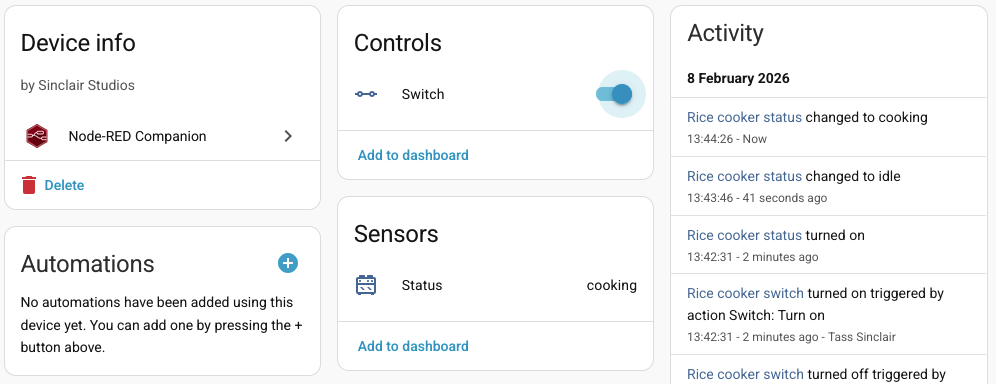
- 🤖 Smart Home agent
- What is the rice cooker doing?
- The rice cooker is currently warm.
- Yeah nice. Can you turn it off and tell me its state?
- I have turned the rice cooker off. It is now off.
And there we have it! 🎉
With this device state and controls modelled in Home Assistant, we've been able to smartify a simple kitchen appliance. Some ideas for what we can try next:
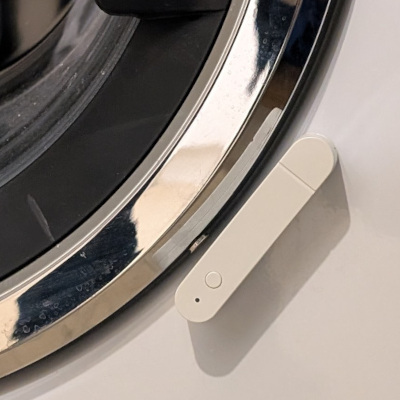
- Smartifying a washing machine, using a smart power plug
and smart contact sensors to detect when it's finished (and remind me if I've forgotten to
unload it).
- A drop coffee machine, using a smart power plug to automatically brew on a schedule, and smart photoresistor sensors to detect if there's any coffee left.
- A lockable door, using multiple smart contact sensors (one for the "lock" state and one for the "open" state).
If you have feedback or questions about this article, let's catch up via Mastodon, LinkedIn, or email.

 All articles
 About Sinclair Studios