;fill-rule:nonzero;stroke:%23000;stroke-width:48.7px;'/%3e%3cdefs%3e%3clinearGradient%20id='_Linear1'%20x1='0'%20y1='0'%20x2='1'%20y2='0'%20gradientUnits='userSpaceOnUse'%20gradientTransform='matrix(2406.25,-2101.13,2101.13,2406.25,1086.43,2157.14)'%3e%3cstop%20offset='0'%20style='stop-color:%232d1f30;stop-opacity:1'/%3e%3cstop%20offset='1'%20style='stop-color:%239f5060;stop-opacity:1'/%3e%3c/linearGradient%3e%3c/defs%3e%3c/svg%3e)

Trout Bout: Printing
I wanted to reduce the number of manual steps on my prototyping workflow, so I set up OctoPrint on a Raspberry Pi and connected it to my printer via USB. This was far easier than I expected, as the devices communicate by transmitting "gcode" commands over a virtual (USB) serial port. OctoPrint supports slicing on the device, but only using a preset Cura profile that I couldn't customise on-the-fly. Fortunately the Cura desktop app was enough to tweak the slicing options and export the gcode, which I could save and import directly into OctoPrint.
I have not made many modifications to my printer yet (though I know there is a thriving modder community for the Cocoon Create / Wanhao Duplicator). The Diicooler and blower fan have helped ensure a better finish of my prints from all angles. I am currently planning to add LED lighting to the print head, but I still need to design and print the right mounts for the LED strip.
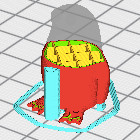
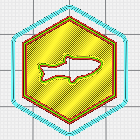
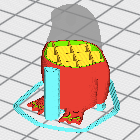
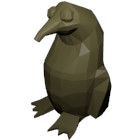
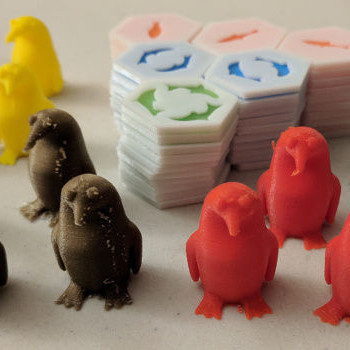
In the past I had used a MakerBot, which by default would print a thick raft underneath the prints. However I've had trouble getting my rafts to stick to the print bed (even while heated), so instead I'm opting to print right on the bed itself. Printing the tiles upside-down meant that they didn't need any supports, and the penguins only needed a small pillar to support the end of their bill.
I am still learning how to get the best print results out of the Cocoon Create Touch, but I am fairly convinced that different colours and brands of PLA perform at their best at different speeds and temporatures. Printing at 215°C with 0.1mm layer height didn't always result in the best prints. For the moment I'm happy to settle for acceptable prints, and won't be pushing to get the best performance out of the printer.
Find out more about Trout Bout:
 Trout Bout: Design
 Trout Bout: Prototyping
If you have feedback or questions about this article, let's catch up via email.
 All articles
 About Sinclair Studios