;fill-rule:nonzero;stroke:%23000;stroke-width:48.7px;'/%3e%3cdefs%3e%3clinearGradient%20id='_Linear1'%20x1='0'%20y1='0'%20x2='1'%20y2='0'%20gradientUnits='userSpaceOnUse'%20gradientTransform='matrix(2406.25,-2101.13,2101.13,2406.25,1086.43,2157.14)'%3e%3cstop%20offset='0'%20style='stop-color:%232d1f30;stop-opacity:1'/%3e%3cstop%20offset='1'%20style='stop-color:%239f5060;stop-opacity:1'/%3e%3c/linearGradient%3e%3c/defs%3e%3c/svg%3e)

Connected Kettle: Remote operation
Now that the kettle supports
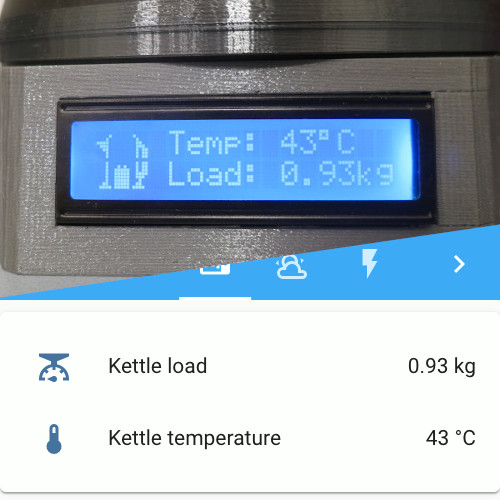 Connected Kettle: Home automation integration
for publishing data, we can also use it to issue commands to the kettle. The final stage of the
project is to add functionality for boiling the kettle remotely, so I can stay in bed a few
minutes longer until the kettle is boiled, ready for me to make my morning coffee.
Connected Kettle: Home automation integration
for publishing data, we can also use it to issue commands to the kettle. The final stage of the
project is to add functionality for boiling the kettle remotely, so I can stay in bed a few
minutes longer until the kettle is boiled, ready for me to make my morning coffee.
There are three major aspects to this stage, adding to the components we introduced in previous stages:
-
Adding a servo to the
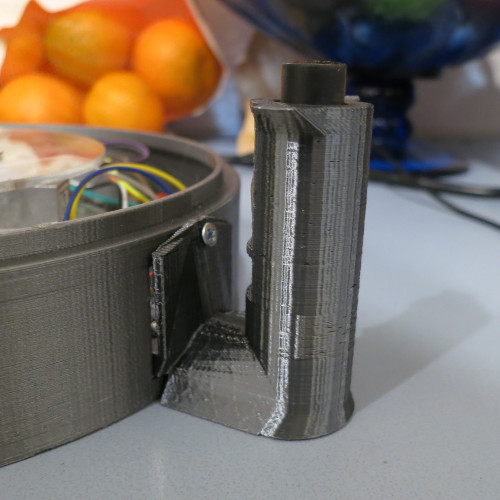 Connected Kettle: Handle attachment that can depress the
kettle switch.
Connected Kettle: Handle attachment that can depress the
kettle switch.
-
Subscribing to an MQTT topic made available through the
Connected Kettle: Home automation integration, and using
that as a trigger for the servo.
- Writing a Home Assistant script that can publish a message to the "activate" topic, and adding the script to a dashboard.
Servo trigger
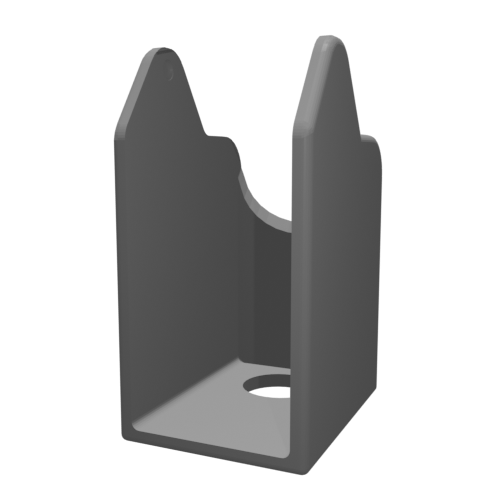
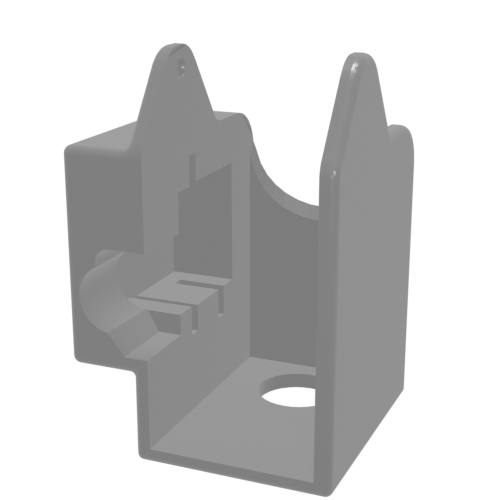
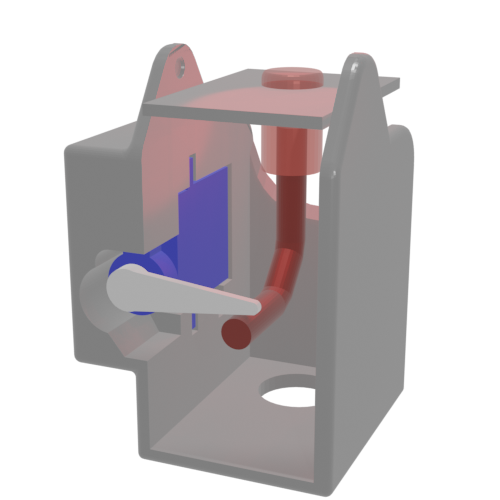
The Connected Kettle: Handle attachment can be expanded
contain a servo, which has enough power to press down on the switch's relay channel. This means
that the new functionality doesn't interfere with the existing switch, for when boiling the
kettle manually.
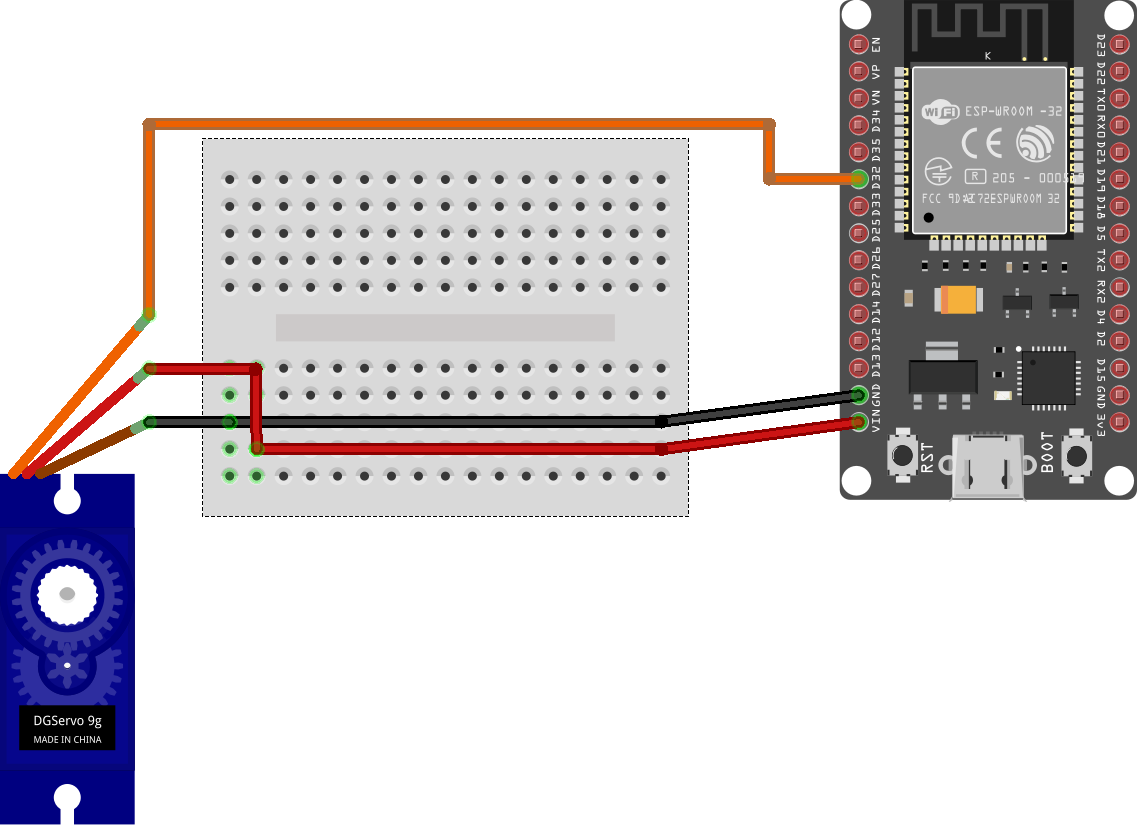
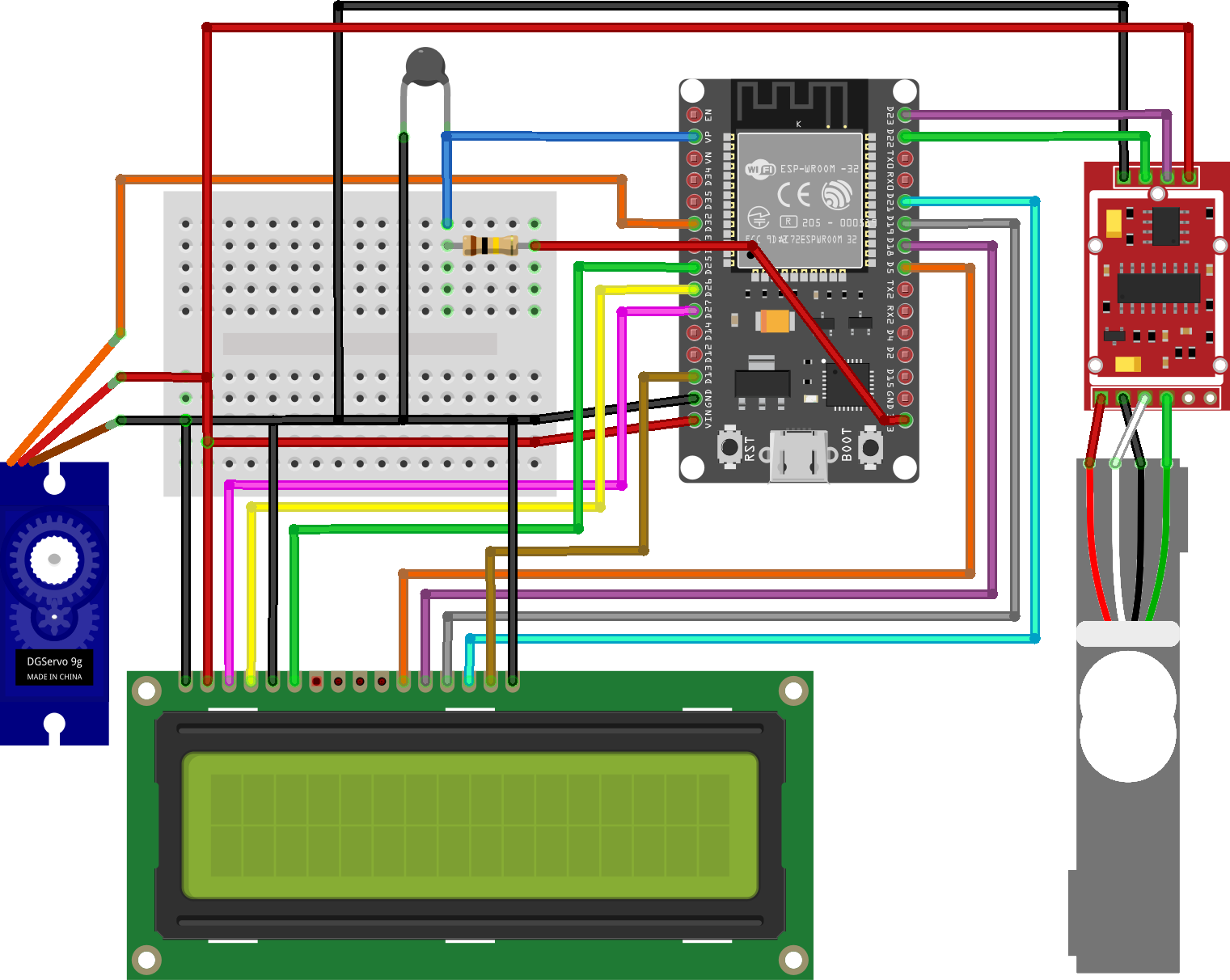
The servo is disconnected when the kettle is removed from the base. When it is connected, the servo is powered but only sent a control signal while it is actively moving, and is left to "sleep" between activations. When it is time to activate the kettle, it is rotated briefly (as seen above) to depress the switch and return to its original position.
MQTT topic subscription
As described in
Connected Kettle: Home automation integration, we can use
MQTT to report on boiling state and broadcast it using a get topic.
This time, we will also subscribe to a
post
topic that we will use to accept commands for activating the kettle.
$ cat comms.cpp

#include "comms.h"

const char *Comms::_POST_BOILING_TOPIC = "connected-kettle/post/boiling";
const char *Comms::_GET_BOILING_TOPIC = "connected-kettle/get/boiling";

...

void Comms::connect() {
  ...
  _pubSubClient.subscribe(_POST_BOILING_TOPIC);
  ...
}

...

void Comms::publishBoiling() {
  _pubSubClient.publish(
    _GET_BOILING_TOPIC,
    "true");
}

void Comms::setCallback(MQTT_CALLBACK_SIGNATURE) {
  _pubSubClient.setCallback(callback);
}
The callback will first disable the display backlight to give more power to the servo. Then attach to the servo and send it to 25°, wait 200ms, return to 75° and then detach. Finally it will re-enable the display backlight.
$ cat main.cpp

#include "Servo.h"

const int SERVO_PIN = 32;
Servo servo;

/* ... */

void callback(const char *topic, byte *payload, unsigned int length) {
  display.set_backlight(false);
  servo.attach(SERVO_PIN);
  servo.write(25);
  delay(200);
  servo.write(75);
  delay(200);
  servo.detach();
  comms.publishBoiling();
  display.set_backlight(true);
}

/* ... */

void setup() {
  ...

  comms.setCallback(callback);
}
Home Assistant script
Now that the ESP32 code is complete, all we need is a simple script that can send a message to the new topic. Any message body is fine, as the subscriber code will not be looking at the body.
$ cat ${HOME_ASSISTANT}/scripts/kettle.yaml

activate_kettle:
  alias: 'Boil kettle'
  sequence:
  - service: mqtt.publish
    data:
      topic: "connected-kettle/post/boiling"
      payload: true
Reminder notifications
An issue with activating the kettle remotely is that it's easy to forget about it. This is easy to fix by using an automation to raise a reminder notification at an appropriate time. The most simple trigger for now is to wait for 4 minutes after the kettle has boiled, and trigger a notification if it hasn't been disconnected from the base recently. To make this comparison easier, I have used two template binary sensors to keep track of these threshold events:
kettle_is_boiled: Is the kettle temperature above 90°C?kettle_is_connected: Is the kettle temperature available?

$ cat ${HOME_ASSISTANT}/automations/kitchen.yaml

- id: kettle_has_recently_boiled
  alias: Kettle has recently boiled
  trigger:
  - platform: state
    entity_id: binary_sensor.kettle_is_boiled
    to: "on"
    for: "00:04:00"
  condition:
  - condition: template
    value_template: "{{ (as_timestamp(states.binary_sensor.kettle_is_boiled.last_changed) - as_timestamp(states.binary_sensor.kettle_is_connected.last_changed)) | int > 30}}"
  action:
  - service: script.make_announcement
    data:
      message: Kettle has recently boiled
Take-aways
-
Pairing
postwithgettopics is an excellent way to monitor if commands are being acknowledged properly. Trying to re-use the same topic for both commands and responses is unwieldy. - Some servos can buzz quietly when idle, as they attempt to correct their position. It's easy to avoid this by only attaching a code handler to the servo when you want to move it, and detaching it immediately afterwards.
- Running a servo can cause under-voltage issues in other parts of the circuitry, it helps to find ways of reducing the power draw of other components while the servo is running.
Next steps
The Connected Kettle is now complete! A limitation of the remote activation functionality is that it's not possible to refill the kettle without manual intervention. Fortunately, the kettle already features dry-boil protection to ensure that it doesn't attempt to boil when there is not enough water. We could also add a sanity check to ensure the kettle load is above a certain weight before acknowledging a remote activation command. Filling the kettle remotely would require far more work, and would introduce more risks with handling a water supply. It would be better to start a new project with a water urn instead.
This article belongs to 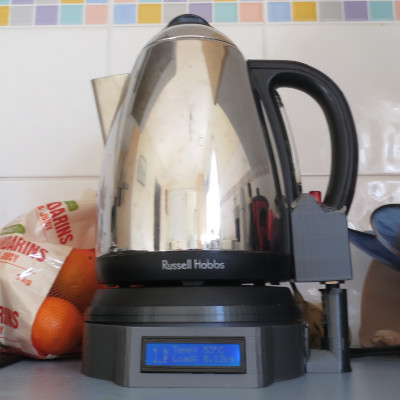 Connected Kettle.
If you have feedback or questions about this article, let's catch up via
email.
Connected Kettle.
If you have feedback or questions about this article, let's catch up via
email.

 All articles
 About Sinclair Studios