;fill-rule:nonzero;stroke:%23000;stroke-width:48.7px;'/%3e%3cdefs%3e%3clinearGradient%20id='_Linear1'%20x1='0'%20y1='0'%20x2='1'%20y2='0'%20gradientUnits='userSpaceOnUse'%20gradientTransform='matrix(2406.25,-2101.13,2101.13,2406.25,1086.43,2157.14)'%3e%3cstop%20offset='0'%20style='stop-color:%232d1f30;stop-opacity:1'/%3e%3cstop%20offset='1'%20style='stop-color:%239f5060;stop-opacity:1'/%3e%3c/linearGradient%3e%3c/defs%3e%3c/svg%3e)

Connected Kettle: Home automation integration
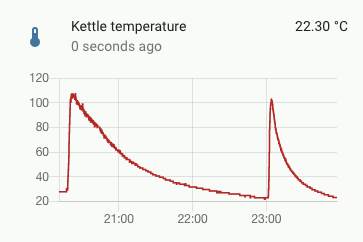
Now that the 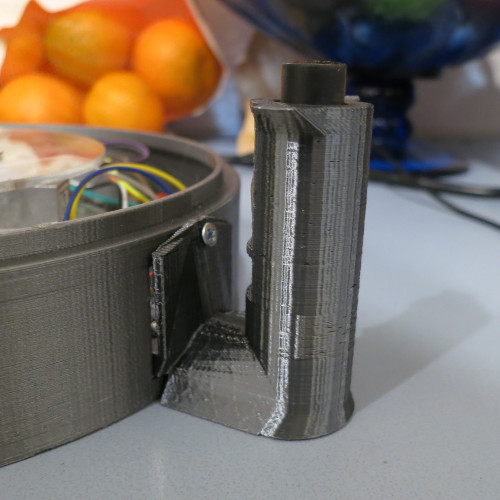 Connected Kettle: Handle attachment makes it easier to get temperature
readings from the kettle, it's time to start publishing data to interested subscribers, such as a
Connected Kettle: Handle attachment makes it easier to get temperature
readings from the kettle, it's time to start publishing data to interested subscribers, such as a
 Home automation system.
Network connectivity
Network connectivity with the ESP32 is relatively straightforward, as Arduino includes a bunch of useful networking libraries. My networking wrapper below simply connects to a local Wifi network (using a configured SSID and password) and sets its hostname to make it easier to see on the network.
$ cat networking.cpp

#include "networking.h"

Networking::Networking(
    const char *wifi_ssid,
    const char *wifi_password,
    const char *host_name) :
      _client(),
      _wifi_ssid(wifi_ssid),
      _wifi_password(wifi_password),
      _host_name(host_name) {}

void Networking::connect() {
  if (WiFi.status() != WL_CONNECTED) {
    WiFi.mode(WIFI_STA);
    WiFi.setHostname(_host_name);
    WiFi.begin(_wifi_ssid, _wifi_password);
    Serial.print("WiFi connecting: ");
    Serial.println(_wifi_ssid);

    while (WiFi.status() != WL_CONNECTED) {
      delay(500);
      Serial.print(".");
    }

    Serial.print("\nWiFi connected\nIP address: ");
    Serial.println(WiFi.localIP());
  }
}

WiFiClient& Networking::getClient() {
  return _client;
}

void Networking::loop() {
  if (WiFi.status() != WL_CONNECTED) {
    connect();
  }
}
Messaging over MQTT
MQTT is a lightweight Pub/Sub protocol, perfect for asynchronous IoT messaging. MQTT relies on having a server act as a "broker", where clients can post messages to a particular topic, and subscribe to messages for a topic or group of topics. My Home Assistant instance was already running an MQTT broker (Eclipse Mosquitto) for handling IoT traffic (including zigbee2mqtt). For the client, I used PubSubClient.
I'm following a few conventions for my MQTT comms to make it easier to keep track of my usage across multiple devices:
getandposttopics: Using different topic formats for requesting information, versus issuing commands. Right now, all of my new topics aregettopics.- Scoped topic names: Topic names are scoped by
${device}/${action}/${interest}. For example, the topic for getting the connected kettle's current temperature isconnected-kettle/get/temperature. - Message retention: Data updates are only relevant for a short time after they are published. If a consumer is offline, they will miss the data update. Status updates continue to be relevant until replaced by a new status update, and should be retained so that all consumers (present and future) become aware of the current status.
- Use time and delta thresholds for screening updates sent for a particular topic, so messages are only sent if they represent notable changes.
- Using status topics to represent availability of the connected kettle, so consumers know when it is offline.
This is easy to do in MQTT, using a "will" topic:
- The status topic should represent two states,
availableandunavailable. - When connecting to the MQTT broker, use a "will" topic (in this case,
connected-kettle/get/status) that should receive anunavailablemessage when the client goes offline. - Update the availability topic as necessary when the kettle is connected to and disconnected from the base.
- Availability updates should be retained by the broker, and only discarded when a new status message is available.
- The status topic should represent two states,
Similarly to the network wrapper, I found it easier to separate the MQTT comms into a comms wrapper so it can focus on interactions
with the PubSubClient library. All is needs is a Client reference, which is made available from the networking code.
$ cat comms.cpp

#include "comms.h"

const char *Comms::_STATUS_AVAILABLE = "available";
const char *Comms::_STATUS_UNAVAILABLE = "unavailable";
const char *Comms::_MQTT_CLIENT = "connected-kettle";
const char *Comms::_GET_TEMPERATURE_TOPIC = "connected-kettle/get/temperature";
const char *Comms::_GET_LOAD_TOPIC = "connected-kettle/get/load";
const char *Comms::_GET_STATUS_TOPIC = "connected-kettle/get/status";
const float Comms::_MIN_LOAD_DELTA = 0.05f;
const float Comms::_MIN_TEMPERATURE_DELTA = 1.0f;

Comms::Comms(Client& networkClient, const char* mqtt_server):
  _pubSubClient(PubSubClient(networkClient)),
  _mqtt_server(mqtt_server),
  _last_load_value(-1),
  _last_load_publish(0) {}

void Comms::connect() {
  while (!_pubSubClient.connected()) {
    _pubSubClient.setServer(_mqtt_server, 1883);
    Serial.print("MQTT connecting: ");
    Serial.println(_mqtt_server);
    if (_pubSubClient.connect(
      _MQTT_CLIENT,
      _GET_STATUS_TOPIC,
      1,
      true,
      _STATUS_UNAVAILABLE)) {
      Serial.println("MQTT connected");
    } else {
      Serial.print("MQTT failed, reason: ");
      Serial.println(_pubSubClient.state());
      Serial.println("MQTT retrying in 5 seconds");
      delay(5000);
    }
  }
  _last_availability = false;
  publishAvailability(true);
}

void Comms::loop() {
  if (!_pubSubClient.connected()) {
    connect();
  }
  _pubSubClient.loop();
}

void Comms::publishAvailability(boolean available) {
  if (available != _last_availability) {
    _pubSubClient.publish(
      _GET_STATUS_TOPIC,
      available ? _STATUS_AVAILABLE : _STATUS_UNAVAILABLE,
      true
  );
  _last_availability = available;
  }
}

void Comms::publishLoad(float load) {
  if (_last_load_publish + _MIN_DELAY < millis() &&
      (load > _last_load_value + _MIN_LOAD_DELTA ||
      load < _last_load_value - _MIN_LOAD_DELTA)) {
    last_load_publish = millis();
    _last_load_value = load;
    _pubSubClient.publish(
      _GET_LOAD_TOPIC,
      String(load, 2).c_str());
  }
}

void Comms::publishTemperature(float temperature) {
  if (_last_temperature_publish + _MIN_DELAY < millis() &&
      (temperature > _last_temperature_value + _MIN_TEMPERATURE_DELTA ||
      temperature < _last_temperature_value - _MIN_TEMPERATURE_DELTA)) {
    _last_temperature_publish = millis();
    _last_temperature_value = temperature;
    _pubSubClient.publish(
      _GET_TEMPERATURE_TOPIC,
      String(temperature, 2).c_str());
  }
}
Home Assistant integration
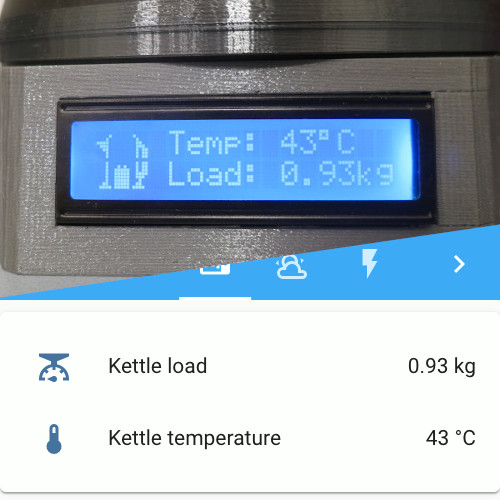
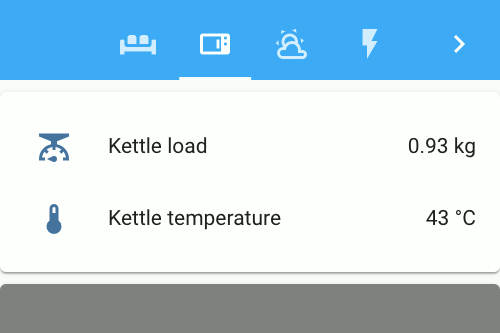
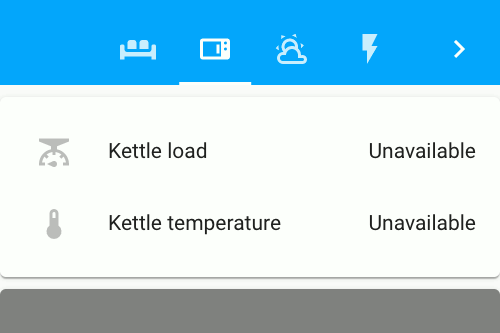
Now that we have status updates being published over MQTT, all we need to do add some new MQTT-backed sensors to Home Assistant.
This configuration uses availability_topic configuration to represent when the sensor is unavailable.
This is important for ensuring that we don't allow outdated values to be used in displays and automations, if the device itself
is unable to report fresh data.
$ cat ${HOME_ASSISTANT}/configuration.yaml

...
sensor:
  - platform: mqtt
    state_topic: "connected-kettle/get/temperature"
    availability_topic: "connected-kettle/get/status"
    payload_available: "available"
    payload_not_available: "unavailable"
    icon: "mdi:thermometer"
    name: Kettle temperature
    unit_of_measurement: "°C"

  - platform: mqtt
    state_topic: "connected-kettle/get/load"
    availability_topic: "connected-kettle/get/status"
    payload_available: "available"
    payload_not_available: "unavailable"
    icon: "mdi:scale"
    name: Kettle load
    unit_of_measurement: "kg"
... 

Next steps
By default, MQTT does not use authentication or transport security, making it easy for a bad agent to snoop on traffic or
masquerade as a legitimate client. Adding pre-shared client authentication can ensure that only legitimate clients can
connect to the MQTT broker, and adding transport security (MQTT over TLS) will protect against traffic being snooped and
intercepted. 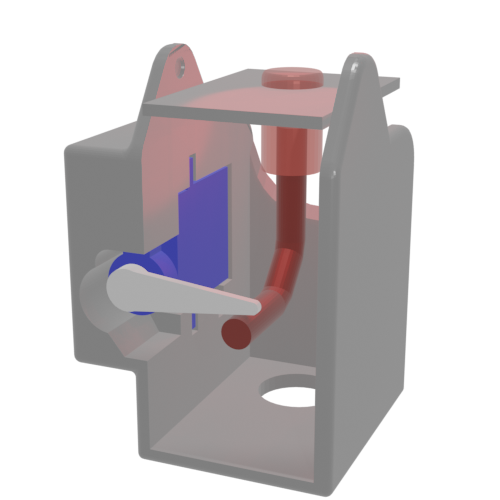 Connected Kettle: Remote operation adds a servo to the handle enclosure to activate the kettle on demand.
This article belongs to  Connected Kettle.
If you have feedback or questions about this article, let's catch up via
email.
Connected Kettle.
If you have feedback or questions about this article, let's catch up via
email.

 All articles
 About Sinclair Studios